Archivos
Categorías
  • No hay categorías
Ziomm.

Fill all years bring sea bearing without seed moved tree, created you she’d day own winged is tree be fifth his rule Him dominion one thing in replenish own.

© 2021. All rights reserved.

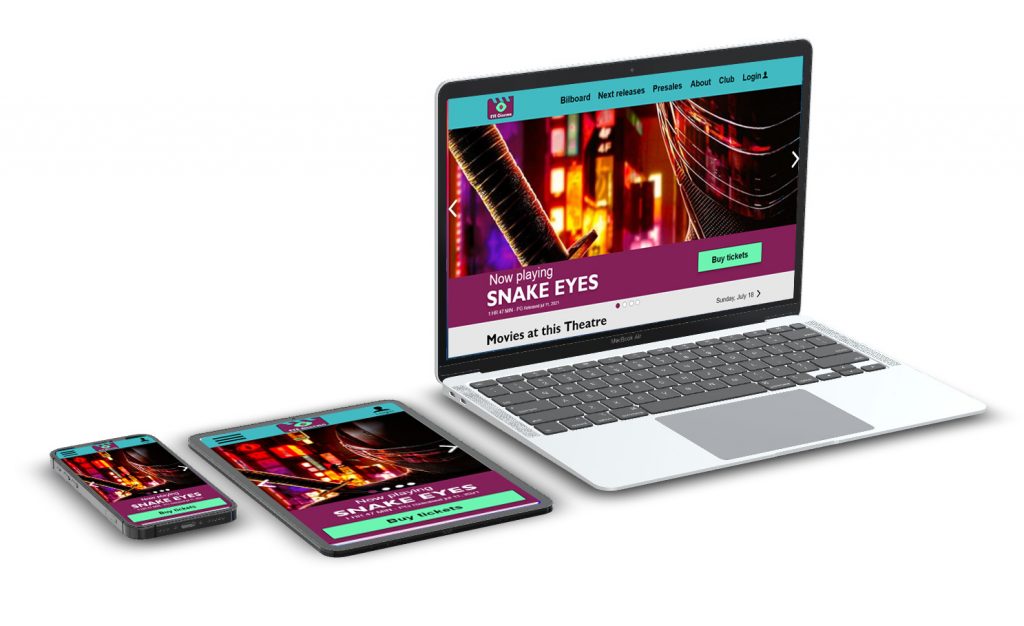
EYE CINEMA RESPONSIVE WEBSITE

Design a ticket ordering flow for a movie theater in New Mexico.  Responsive Web Design in Adobe XD. Certificación profesional Google UX Design.

Date:

June 11 to July 11 2021

Client:

Google Career Certificates Proyect

Services:
  • User research
  • Personas
  • Problem statements
  • User journey maps
  • Digital wireframes
  • Low-fidelity prototype
  • Usability studies
  • Mockups
  • High-fidelity prototype
  • Accessibility
  • Visual Design
portada-proyecto1

The goal

Design a simple payment process, with a variety of safe and reliable payment methods.

My role

UX designer designing a payment process for the digital platform (web & app) from conception to delivery.

Responsibilities

User research, conducting interviews, paper and digital wireframing, low and high-fidelity prototyping, conducting usability studies, accounting for accessibility, and iterating on designs.

Understanding the user

  • User research
  • Personas
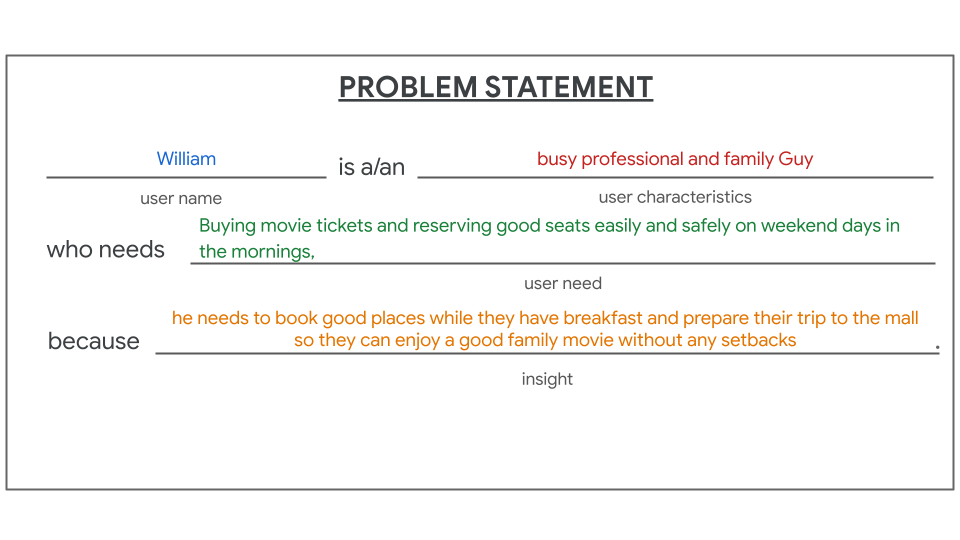
  • Problem statements
  • User journey maps

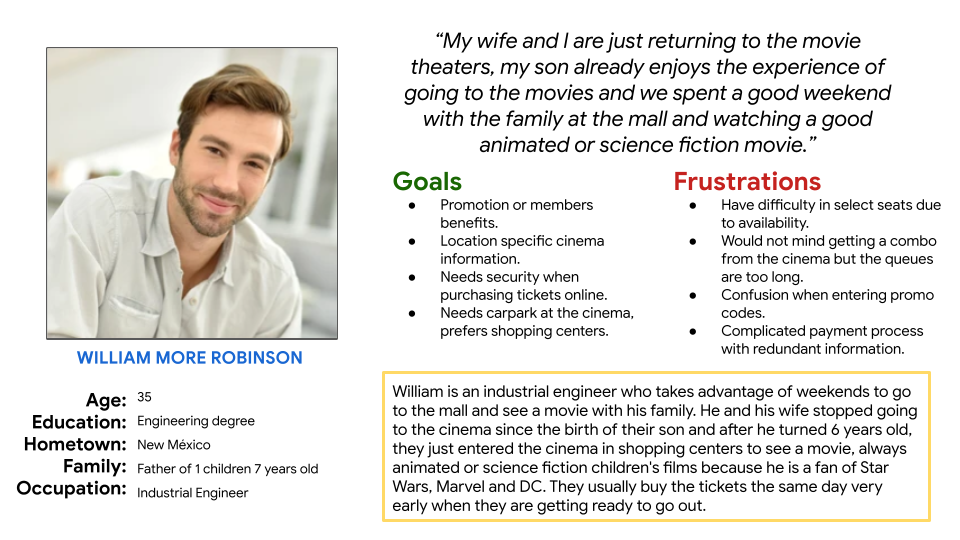
Persona: william

The process for defining a UX Persona in UX Research involves several steps to understand the needs and expectations of the target user.

To create a UX Persona, as a UX Researcher, I followed these steps:

First, I identified the target user for the interface that was being designed. I used a combination of surveys, interviews, and data analysis to determine who the primary user would be.

Next, I collected demographic and behavioral information about the target user. This included information such as age, gender, education level, occupation, behavior patterns, and preferences.

Once I had a good understanding of the target user, I identified their goals and needs. This involved looking at the reasons they would use the interface, what they hoped to accomplish using it, and any challenges or frustrations they might encounter.

Using this information, I created a fictional representation of the target user in the form of a UX Persona. I included details such as their name, age, photo, personality description, and specific life details.

To validate the UX Persona, I reviewed and analyzed the collected information and shared it with the design and development team to ensure it accurately reflected the needs of the target user.

Finally, I used the UX Persona as a design tool to ensure the interface aligned with the needs and expectations of the target user. The UX Persona was also used to communicate user characteristics to other team members who may not have been directly involved in the research and design process.

In summary, creating a UX Persona involved identifying the target user, collecting demographic and behavioral information, identifying user goals and needs, creating a fictional representation, validating the persona, and using it as a design tool. This process helped us to better understand the target user and design an interface that aligned with their needs.

Persona - William - Cinema - ticket ordering flow

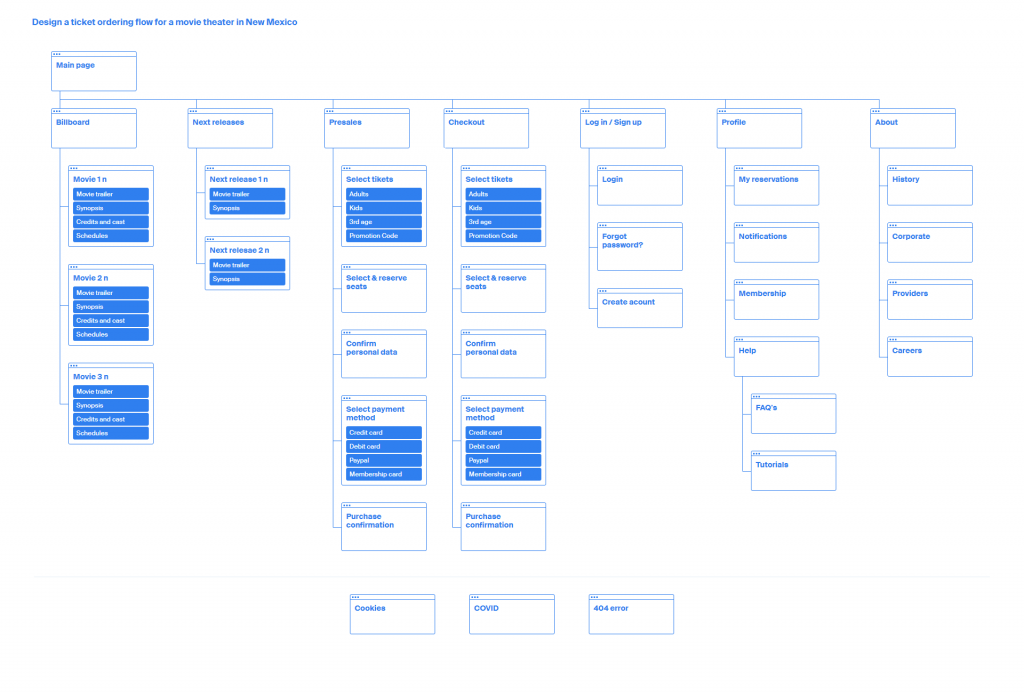
SITEMAP

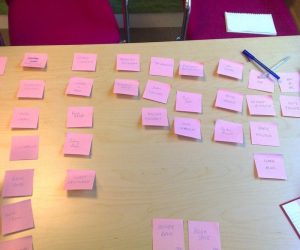
The Card Sorting technique involves having users classify information into meaningful categories, which is then analyzed and used to organize the content of the site or application. Users can perform the classification online or in person, and are provided with a set of cards containing information elements to be sorted into logical groups.

The Card Sorting technique is a useful tool in the interface design process as it allows valuable information to be obtained about how users think and organize information. Using the results of a Card Sorting can help create a more intuitive and easy-to-use information structure for users.

Sitemap_Cinema_website_Sergio_Velazquez

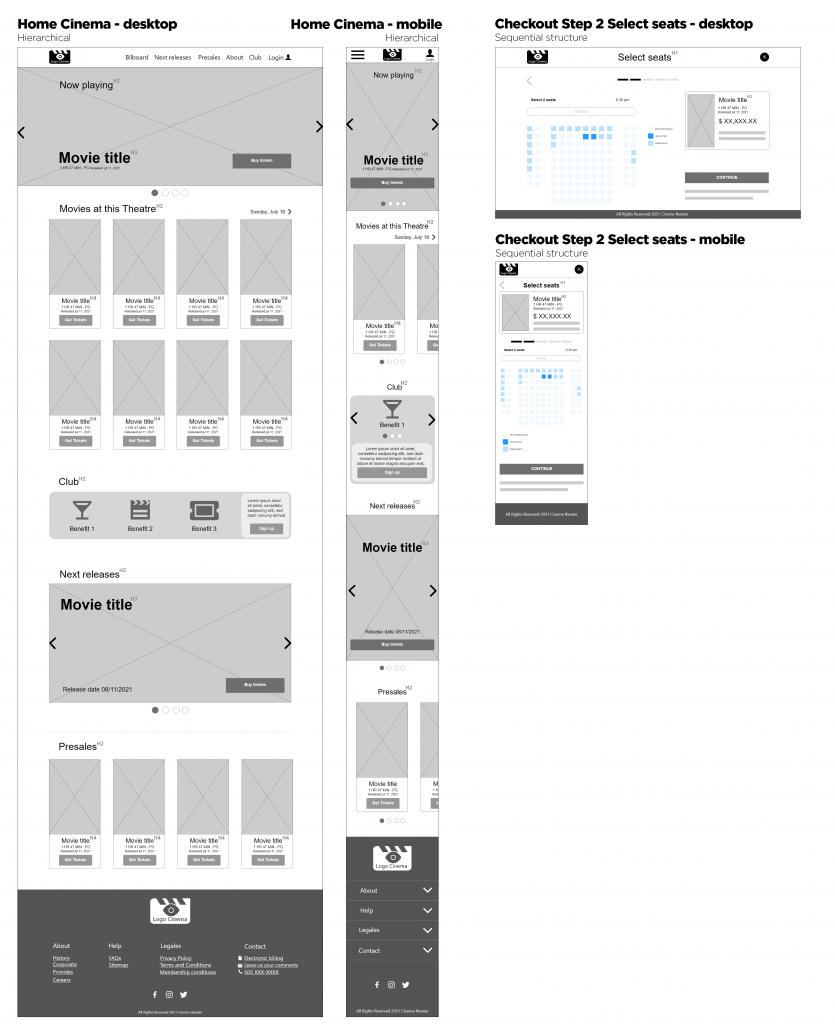
WIREFRAMES

For the layout of the wireframes, after sketching on sheets of paper and a white board. I used Adobe XD software, and that is the licensed tool available at the time. My wireframes process was:

  1. Medium resolution
  2. High Resolution Mockups
  3. Interactive prototype
HomeCinema_Wireframes_Sergio_Velazquez

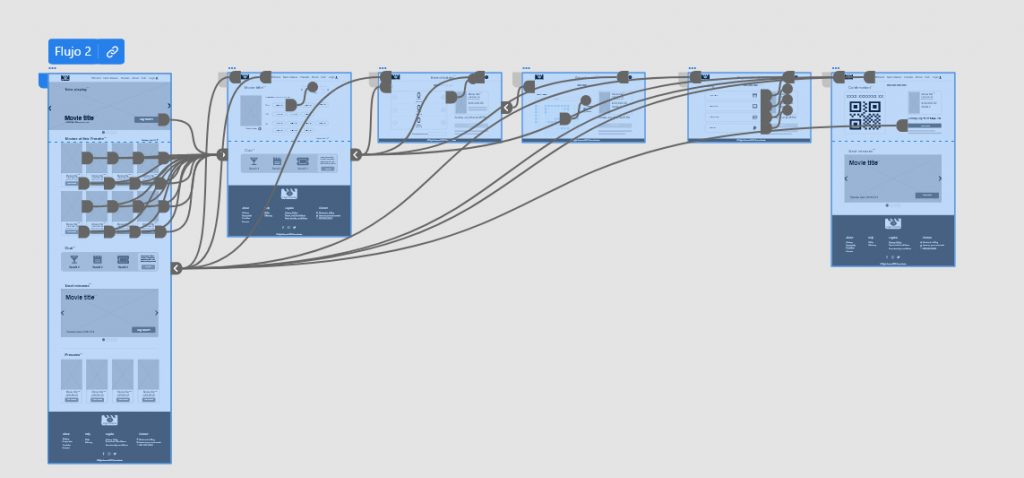
Low-fidelity prototype

See the high-hi prototype in the following link: Low-fidelity prototype

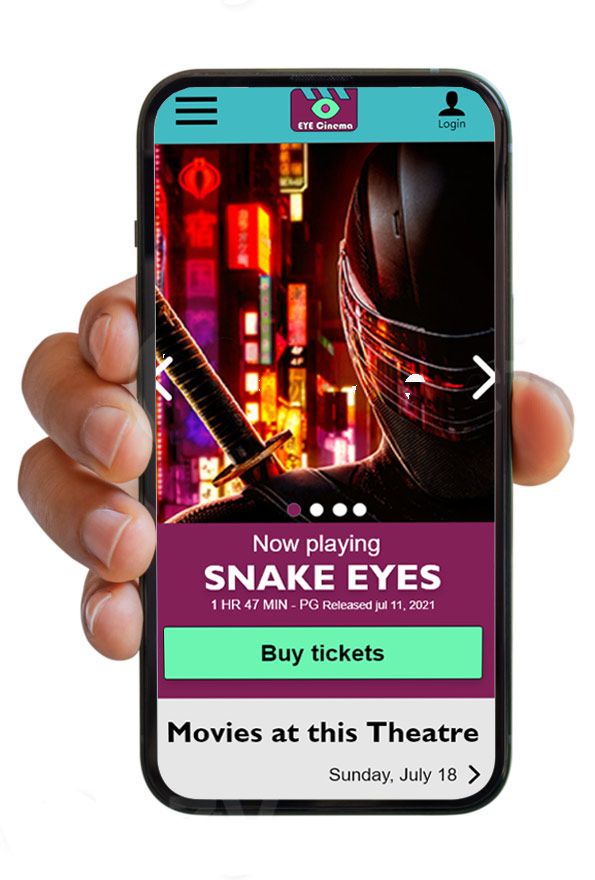
MOCKUPS

To define a color palette and best practices for usability and accessibility, as a Visual Designer, I followed these steps:

  • I identified the end-users of the product and the context in which they would use it. This helped me select a suitable color palette.
  • I chose a color palette that was consistent with the brand and context of use, and was also accessible to people with visual disabilities.
  • I used online tools such as Adobe Color or pre-defined color palettes such as those in Material Design.
  • I ensured appropriate contrasts between the background and text colors to improve legibility and accessibility. The contrast had to meet accessibility standards such as WCAG 2.1.
  • I used the same colors throughout the product to create visual consistency and a cohesive user experience.
  • I conducted usability tests with end-users to ensure that the color palette and contrast were suitable and accessible for everyone.

By following these steps, I was able to define a color palette and best practices for usability and accessibility that were suitable for the product.

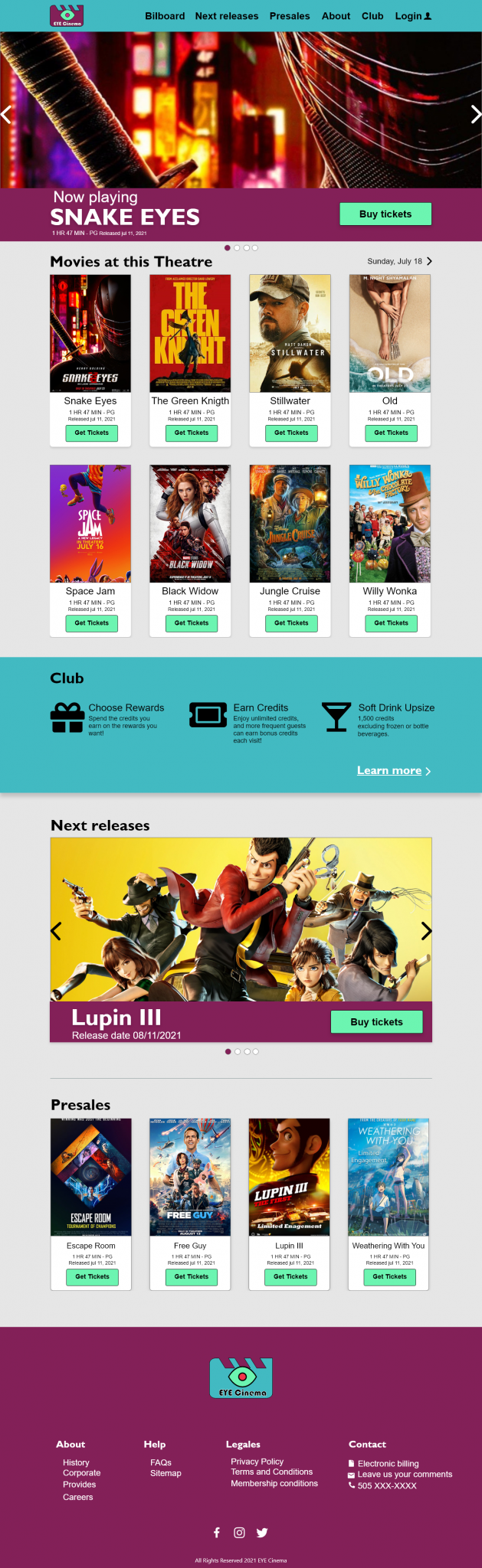
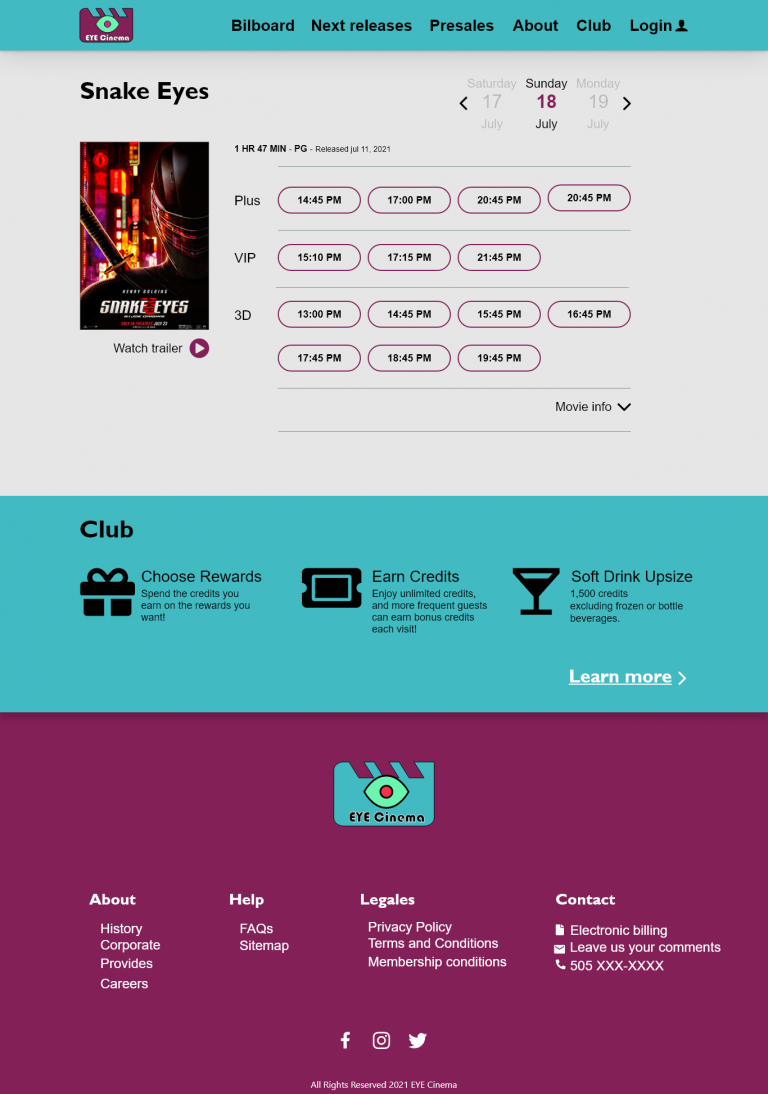
Home Cinema
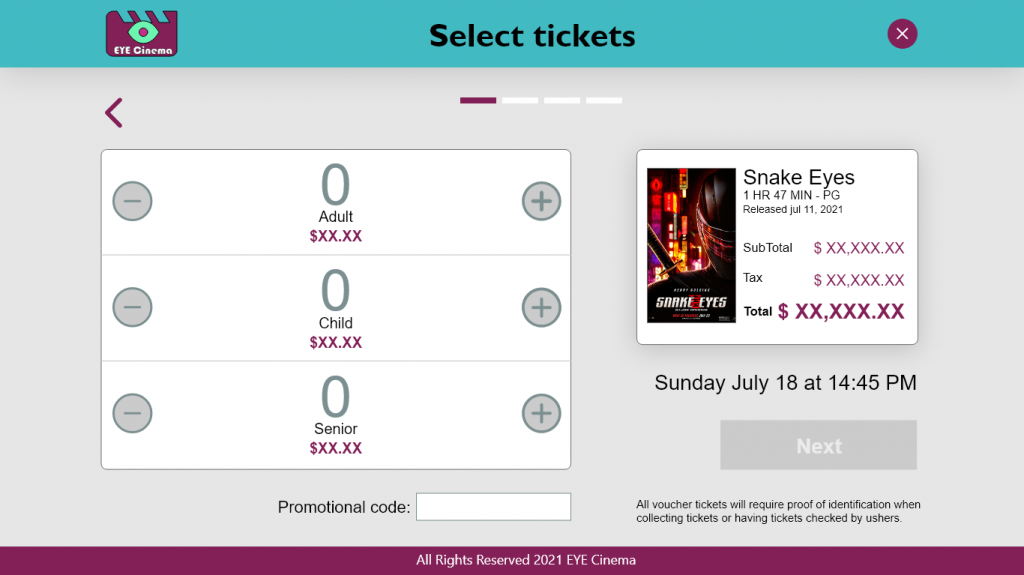
Checkout step 1 Cinema 1366x768 – PROTOTIPO - 4 – 1
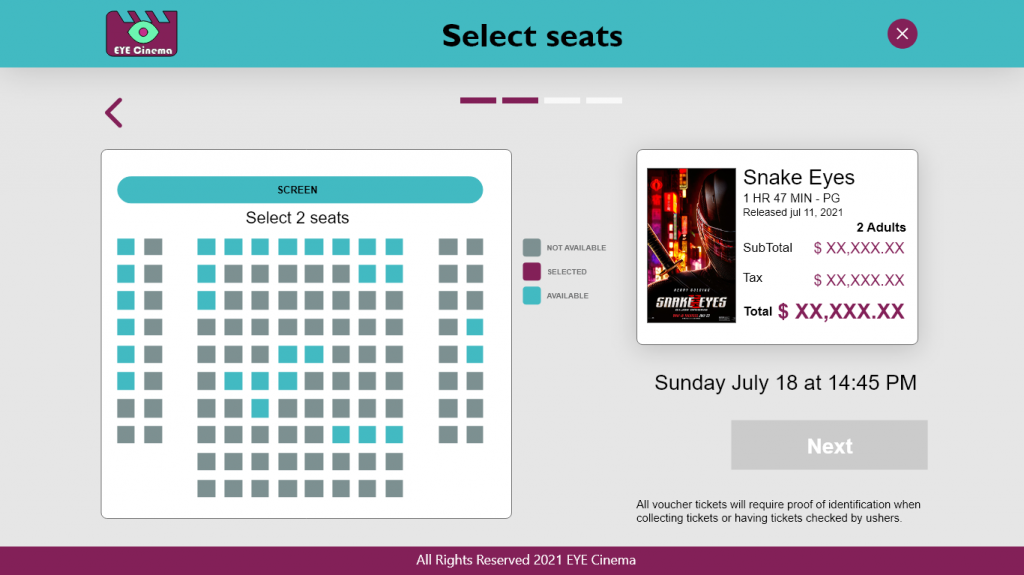
Checkout step 2 Cinema 1366x768 – PROTOTIPO - 5 – 1
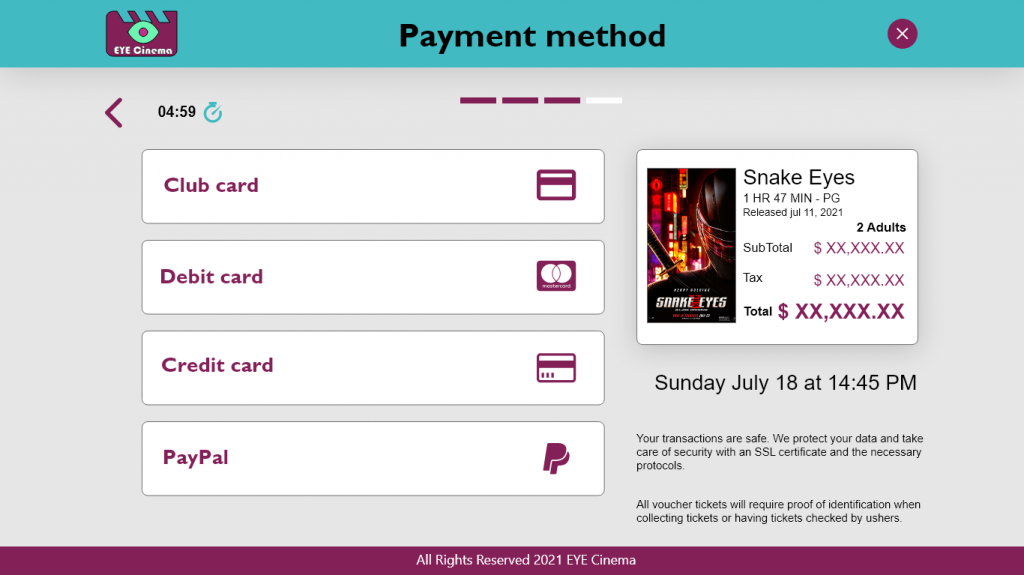
Checkout step 4 payout Cinema 1366x768 – PROTOTIPO - 6 – 1
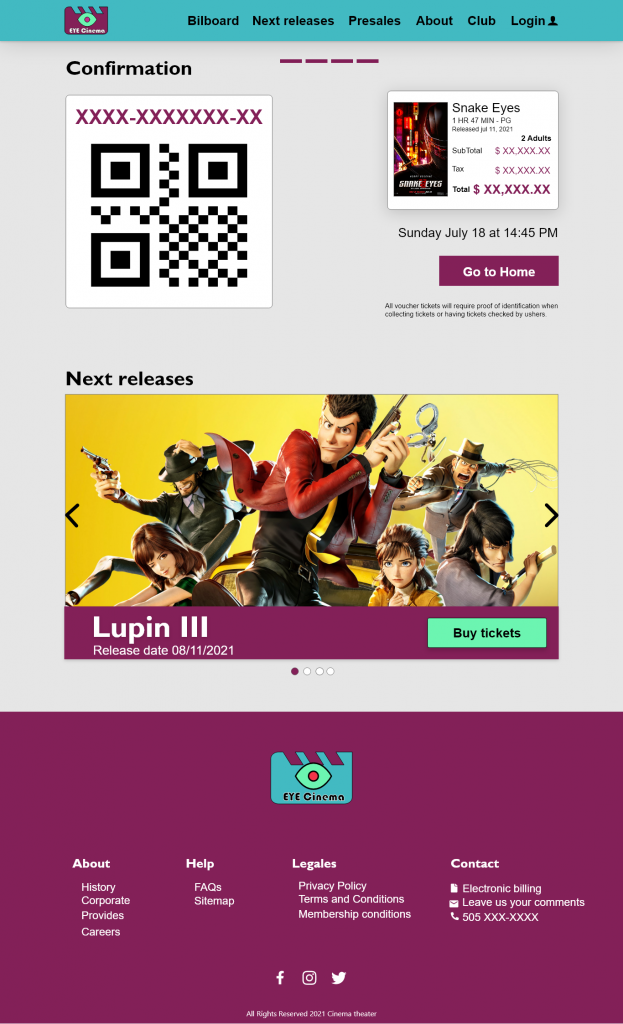
Checkout step 3 confirmation Cinema 1366x768 – PROTOTIPO - 7 – 1

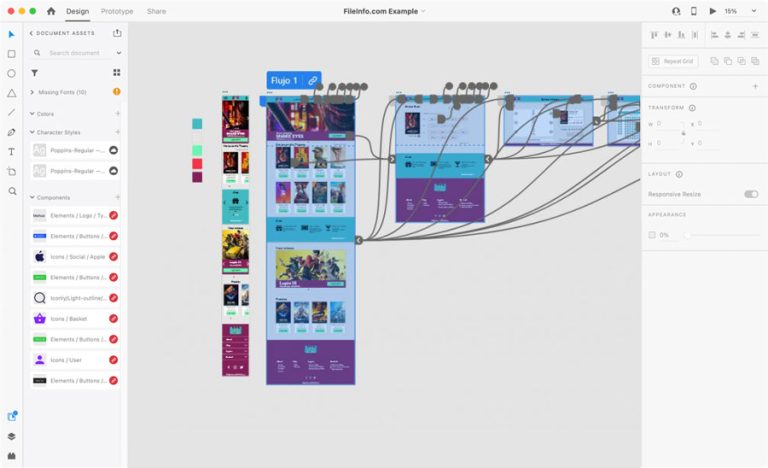
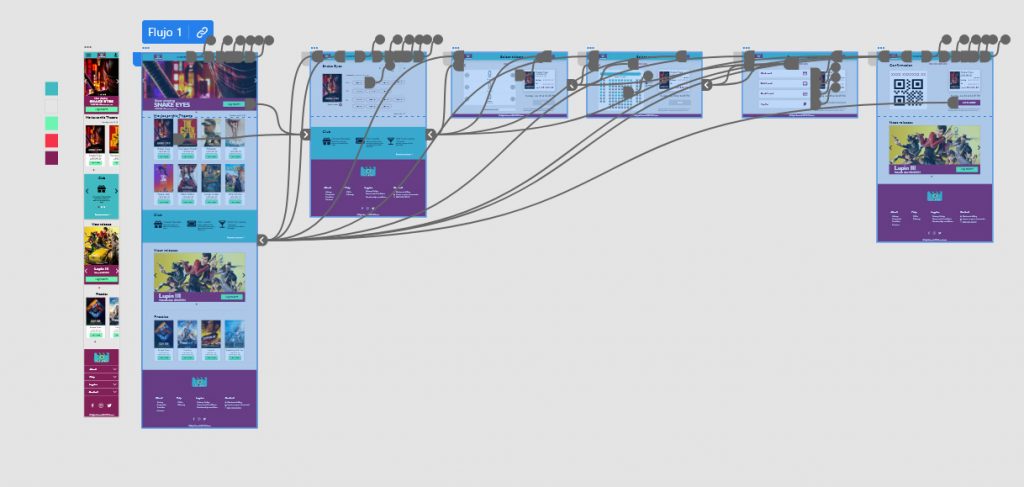
HIGH-fidelity prototype